



- Room 1807, Unit 9, Building 2, Shangxing Commercial Street, Shangde Road, Shangxing Community, Xinqiao Subdistrict, Bao'an District, Shenzhen City, China
CONTACT US

WhatsApp


Contact Us
Our team is on stand by, waiting toassist you.

Videos
A large collection of educational videos and tutorials.

About Us
Learn about our company, leadership, and mission totransform manufacturing.

Privacy Policy
Applies to all personal information collected through and/or processed in connection.


Aerospace & UAV
WJ Prototypes is your 3D manufacturing partner from prototype to large scale production.

Consumer Electronics
New Product Introduction Solutions for Consumer Electronics.

Robotics & Automation
Need some assistance bringing your robotic device or parts from the sketch-board to reality?

Medical Devices
The medical industry needs high quality, dependable and safe parts and products.

Automotive
New Product Introduction Solutions for Automotive

Industrial Machinery
The main purpose of industrial prototyping is to take the product from drawings into the real world.
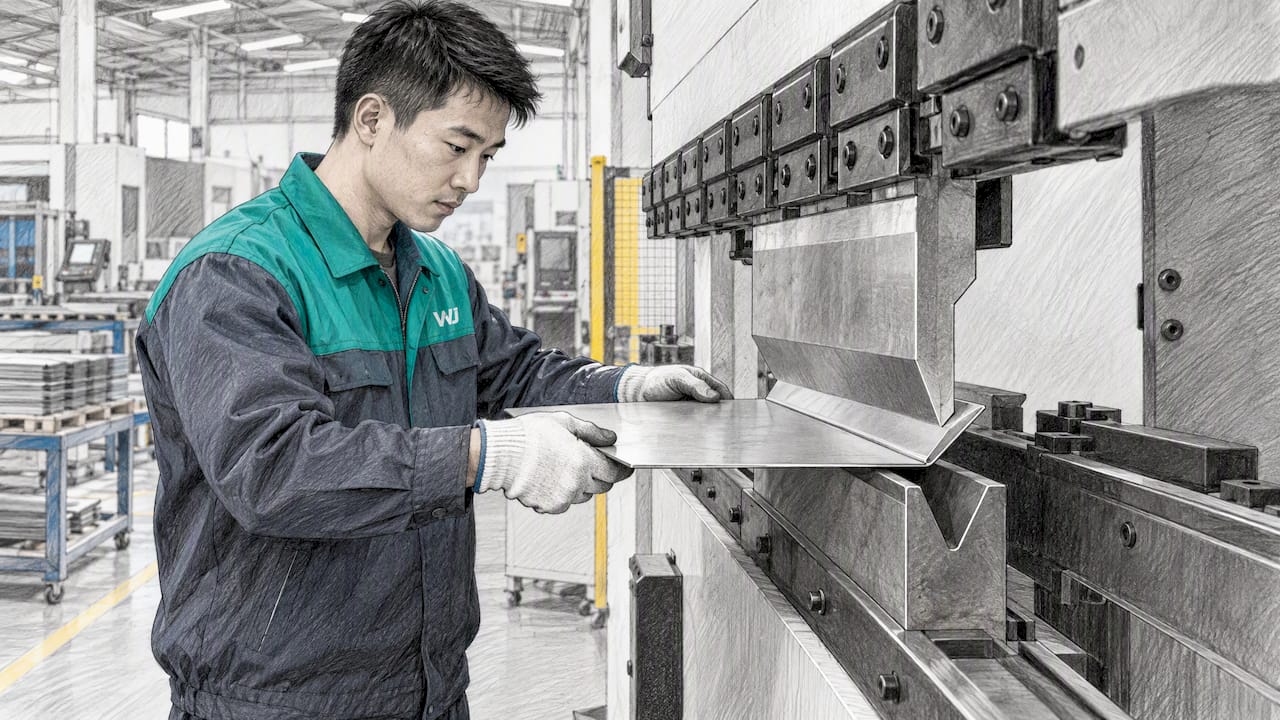
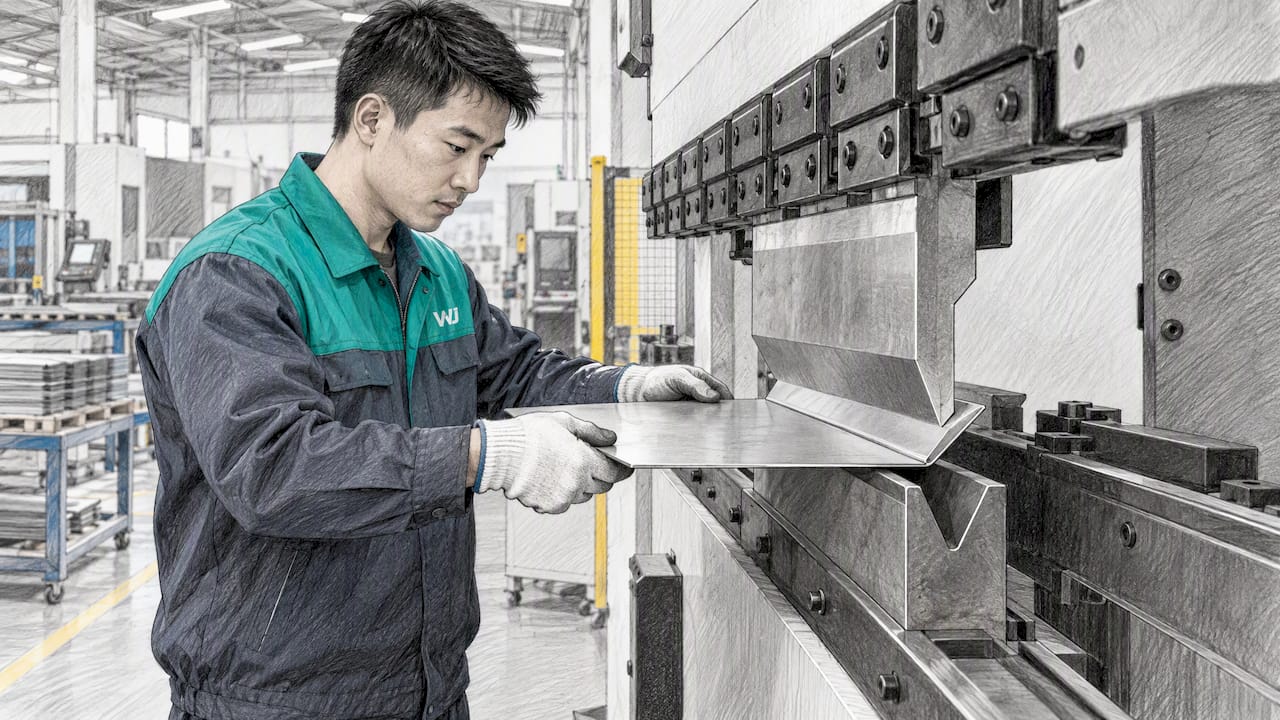
Three rules cover most sheet metal DFM failures: set the inside bend radius close to material thickness, avoid bending parallel to the grain, and build the K-factor or Y-factor into every flat pattern. Reference ASME Y14.5 for GD&T so your drawings are read the way you intended. The formulas, checklist and drawing notes follow.
Following key design and process rules ensures sheet metal parts are formed accurately, with minimal rework and optimal manufacturability.
| Point | Details |
|---|---|
| Set inside bend radius near material thickness | Ensure the inside bend radius closely matches the material thickness to prevent cracking or distortion. |
| Use the correct bend direction relative to grain | Bending across the grain yields stronger, more consistent bends, and reduces the risk of cracks. |
| Incorporate the K-factor and Y-factor in flat pattern calculations | Write the expected forming assumptions on the drawing and confirm them with the fabricator for accuracy. |
| Maintain proper feature spacing from bends | Keep holes, slots, and other features at safe distances from bend tangent lines to avoid distortion or tears. |
| Leverage WJ Prototypes for shop feedback and test bends | We review designs, run test bends, and provide quick quotes to reduce iteration time and improve final part quality. |
The flat blank is where forming problems start. Laser, waterjet and punching each leave a different edge, and that edge decides how the part behaves later in the press brake.
Laser cutting is fast and holds tight profiles, but it leaves a thin heat-affected zone and sometimes an oxide layer on the edge. Waterjet cutting has no thermal effect, so the material properties stay uniform, though it is slower and can leave a slightly tapered edge on thick stock. Punching is the cheapest route for high counts of simple features. It leaves a burr on one side and work-hardens the edge, and that hardened edge is where cracking tends to begin when a bend line sits close to it.
Kerf and burr direction matter for fit. Kerf width removes material, so a slot sized to a mating tab needs clearance added on the drawing rather than assumed. A burr facing the inside of a bend can bite into the die or the part’s own surface, while a burr on the outside of the bend is the more common crack starter. When you control burr direction, forming becomes more consistent and assemblies close up the way the model says they should.
Tolerances differ by process, and your drawing should not demand more than the chosen process can deliver. If a profile needs a tolerance tighter than a punched edge can hold, say so and let the shop select laser or waterjet. Our sheet metal tolerances guide lays out practical ranges for final-dimension planning.
Put these items on every flat-blank drawing:
Pro Tip: Draw the grain arrow on the flat pattern itself, not only in a note. Nesting software and operators follow what they see on the part view.
If you are earlier in the process and want the full sequence from cutting to finishing, Sheet Metal Fabrication 101 walks through it step by step.
When sheet metal bends, the outer surface stretches and the inner surface compresses. Somewhere between them sits the neutral axis, a fiber that neither stretches nor shortens. Flat pattern length is calculated along that axis, so its location drives every dimension you unfold.
The K-factor is the ratio of the neutral axis location to the material thickness. A small K-factor means the axis sits closer to the inside of the bend. The Y-factor refines the same idea by accounting for the stresses in the material, and it is often used when a calculation needs to match press brake results more closely. The Fabricator’s article on K-factors and Y-factors explains that K depends on material, thickness, inside radius and forming method, so no single value is universal.
The working formulas are these:
A commonly used default K-factor is 0.446, which is a starting point, not a guarantee. Treat it as an initial guess to be corrected by measurement on your material and tooling.
The forming method shifts K and springback. Air bending, where the punch pushes the sheet into a V-die without bottoming, gives the most flexibility. The resulting angle depends on punch depth, so springback is real and the effective K-factor moves with radius and die opening. Bottoming presses the sheet against the die walls, which reduces springback and gives more repeatable angles at the cost of higher tonnage. Coining forces the punch tip into the material under very high force, nearly eliminating springback, but it wears tooling and is rarely the economical choice outside special cases.
For a designer, the practical consequence is simple. Pick the forming assumption your fabricator will actually use, and write it on the drawing or in the release notes. A flat pattern calculated for bottoming will be wrong if the shop air bends, and the error shows up as parts that are consistently a fraction too long or too short.
Pro Tip: Ask your fabricator for the K-factor they use for your material and thickness. A shop-specific value from their own press and tooling beats any handbook figure.
Two radius numbers matter. The minimum producible radius is the tightest bend a shop can form in a given material without tearing it, and reaching it usually demands higher tonnage and risks inconsistent results. The recommended radius should support stable bends and tool life. The Fabricator’s comparison of minimum and recommended radii discusses how radius choice affects consistency and tool life, and its piece on radius types in air bending describes a “perfect” bend.
The reason is physical. In air bending, the inside radius is a product of the die opening and the material, not of the punch tip alone. When the design radius matches what the die naturally forms, the shop can use standard tooling and every bend on the part comes out alike.
Die opening follows from thickness. Choose a V-die opening suited to the material and forming requirements, and confirm it with the shop. A narrower opening raises the tonnage required and tightens the radius, while a wider one lowers tonnage, increases springback and enlarges the formed radius. If a design has a flange so short that it cannot span the die opening, the part cannot be formed on standard tooling, which is why minimum flange length belongs in the same conversation.

Grain direction comes from rolling at the mill. Bending parallel to the grain raises the risk of cracking on the outside radius, while bending across it gives stronger bends and, for many materials, smaller producible radii, as The Fabricator’s article on grain direction explains.
Apply it like this:
Pro Tip: If a part must bend parallel to the grain, increase the radius before you ask for a tighter material temper. A larger radius is cheaper than scrap.
Features near a bend are where flat patterns go wrong, because the material around them stretches during forming. Distort a hole and it no longer takes a fastener; crowd a slot and it tears.
Minimum feature size depends on the cutting method. Punching generally wants hole and slot widths no smaller than the material thickness, since the punch itself can break otherwise, while laser and waterjet can cut finer detail at a cost in speed. Confirm the shop’s actual limits for your material before committing to tiny features.
Distance from the bend matters just as much. Keep holes and slots a safe distance from the bend tangent line, commonly a multiple of material thickness plus the bend radius. When a feature must sit closer, expect it to elongate, and consider forming first and cutting after, or adding a relief. Our design tips for prototyping efficiency show how to sequence this on early parts.
Rules that keep features intact:
Without relief, material pulls toward the bend end and bulges or splits. A properly sized relief is a few seconds of CAD work that prevents a recurring defect.
Thin sheet flexes, and the cheapest way to stop it is geometry rather than thicker stock. Beads and ribs stamped or formed into a panel raise stiffness, and louvers do the same while providing airflow. Place stiffeners across the direction of the load or the span you want to stiffen, and keep them clear of bend lines.
Flanges stiffen edges and give you something to fasten to. A return flange or a hem increases edge stiffness considerably and removes the sharp edge. Hems come in open and closed forms. A closed hem folds the sheet flat against itself, and its achievable width and the thickness it can handle are limited by material ductility, so confirm limits with the shop before specifying a tight hem on thick or hard stock. Remember that a hem changes the final dimension: a closed hem adds roughly a material thickness at the fold, which belongs in your stack-up.
For fasteners, consider self-clinching hardware, which needs a specific hole size and a minimum distance from edges and bends. Weld-heavy designs call for access for the torch and attention to heat distortion, since long welds on thin sheet pull panels out of flat.
Finishing also moves dimensions. Coatings add thickness to every surface, so holes that must accept pins or fasteners need clearance for the film. Our materials page lists the sheet options available, which helps when you are matching material to finish.
Pro Tip: When a joint will be welded, state the weld type and size on the drawing and leave fixturing tabs or datum holes in the blank so the assembly stays square.
Run every drawing through this list before release:
The same few mistakes cause most rework. Bending collisions happen when a formed flange hits the machine or the part’s own earlier bend, which is a sequence problem you can often catch by checking the order of operations. Ignoring springback leaves angles off, particularly in air bending. Wrong grain orientation produces cracks that show up late. Missing bend relief tears material at bend ends, and unrealistic tolerances on formed dimensions drive cost without adding function.
Finally, do not trust any default blindly. Run a few test bends on the actual material and thickness, measure the results, and back out a shop-specific K-factor. That single step removes most flat-pattern error.
Take 2 mm sheet, a 90 degree bend, an inside radius of 2 mm and a K-factor of 0.446. This is an illustrative calculation, not production data.
Rules of thumb you can copy into drawing notes:
Thickness touches nearly every rule above. As sheet gets thicker, the bend radius that is safe in absolute terms grows, tonnage climbs and the minimum flange length increases, because the die opening scales with thickness. A design that works with thin sheet can become infeasible with thicker stock unless flange lengths and relief sizes are reconsidered.
Thin material introduces the opposite problems. It distorts under welding heat, flexes under handling and amplifies springback variation, so thin parts benefit from stiffening features and from fixturing during assembly. Thicker stock resists deflection but limits hems, makes tight radii difficult and slows laser cutting, which can push you toward waterjet or plasma for some alloys.
Thickness also drives cost and standardization. Choosing a common gauge keeps material readily available and lets the shop use standard tooling. Mixing several thicknesses inside one assembly multiplies setups. If you can pick one or two thicknesses across a product family, quoting gets faster and prototypes move into production with fewer changes. When strength is the goal, compare a thicker sheet against a formed stiffener, since geometry often wins on weight and cost.
Because K-factor shifts with thickness, a flat pattern calculated for one gauge should never be reused for another without rechecking the numbers.
Secondary operations change the part you modeled. Powder coat and paint add film thickness to every exposed surface, and that growth matters wherever parts mate, slide or accept fasteners. Mask threads, grounding points and tight-fit surfaces, and note masking areas on the drawing instead of leaving them to be guessed.
Plating and anodizing bring their own rules. Plated parts need drain and vent holes so solution does not get trapped in folded seams and hems, and trapped liquid can bleed out later and stain or corrode. Sharp edges coat poorly and chip, so break edges and radius corners where appearance or corrosion resistance matters. Racking points also leave marks, so tell the finisher where a contact mark is acceptable.
Think about sequence as well. Welding after coating burns the finish, and coating after welding can leave unprotected crevices. Decide which comes first and design access accordingly. Material choice interacts too: some alloys anodize well while others need a different process, so settle the finish before you freeze the material.
State finish thickness expectations and tolerance zones in the notes, because a tolerance written for bare metal may not survive a coating.
In early prototypes, protect geometry and the fits that decide whether the design works, and accept compromises elsewhere. Once the design stabilizes, optimize radii, tooling commonality and cost for production. Bring your fabricator into design reviews early, run quick test bends, and lock in shop-specific K-factors before the first production release. We support prototyping and low-volume sheet metal runs and can help with test-bend calibration.
— Nas
Our sheet metal fabrication service pairs ISO-certified processes with engineers who review your design, run test bends and quote quickly, which cuts iteration time between prototype and production.
Send your files for a quote or ask for a DFM consult through our quote page.
DFM is design for manufacturability, DFA is design for assembly, and DfT is design for test. Each one adjusts the design early so the part is easier to make, put together or verify, which reduces cost and rework.
A DFM checklist is a short list of items a designer verifies before release. For sheet metal it covers material and grain direction, inside radius, K-factor assumptions, feature-to-bend spacing, tolerances and finish requirements.
DFM guidelines are practical rules that keep a design within what a process can produce reliably. In sheet metal, examples include setting the inside radius near material thickness and bending across the grain.
DFA and DFM address how easily a product is assembled and manufactured. DFMEA is a failure mode and effects analysis applied to the design, used to find and rank the ways a part could fail before it is built.
SERVICES
RESOURCES